Build your first LLM application in 4 steps: 1) Choose an LLM API (OpenAI, Anthropic, or local via Ollama), 2) Create a simple backend (Node.js/Express or Python/FastAPI), 3) Add conversation memory (store chat history in database or session), 4) Build a frontend (HTML/JavaScript or React). Use provider-agnostic code so you can switch models. Add error handling, rate limiting, and cost tracking from day one.
You want to build an LLM application. Maybe a chatbot for customer support. Maybe a coding assistant. Maybe something that helps users search through documents. But where do you start?
Most tutorials show you how to call an API and get a response. That is not an application. That is a demo. Real applications need conversation memory, error handling, user management, and production features.
This guide walks you through building a complete LLM application from scratch. No frameworks required. Just the fundamentals you need to understand before using tools like LangChain or LlamaIndex.
TL;DR: Build your first LLM application in four steps: choose an LLM API, create a backend that handles conversations, add a frontend, and deploy. Use provider-agnostic code so you can switch models. Add error handling, memory, and cost tracking from day one.
What You Will Build
We will build a simple but complete chat application that:
- Connects to an LLM API (OpenAI, Anthropic, or local)
- Maintains conversation history
- Handles errors gracefully
- Tracks costs
- Works in production
This is not a toy. This is the foundation you can extend into any LLM application you need.
Understanding LLM Application Architecture
Before writing code, understand the architecture. Every LLM application follows the same pattern:
flowchart TB
    subgraph Frontend["Frontend Layer"]
        UI[fa:fa-window-maximize User Interface]
    end

    subgraph Backend["Backend Layer"]
        API[fa:fa-server API Server]
        Memory[fa:fa-database Conversation Memory]
        Router[fa:fa-random Request Router]
    end

    subgraph LLM["LLM Provider"]
        Adapter[fa:fa-plug LLM Adapter]
        Provider[fa:fa-cloud LLM API]
    end

    UI -->|User Message| API
    API -->|Store| Memory
    API -->|Get History| Memory
    API -->|Send Request| Router
    Router -->|Route| Adapter
    Adapter -->|API Call| Provider
    Provider -->|Response| Adapter
    Adapter -->|Response| Router
    Router -->|Response| API
    API -->|Response| Memory
    API -->|Response| UI

    style UI fill:#e3f2fd,stroke:#1565c0,stroke-width:2px
    style API fill:#fff3e0,stroke:#e65100,stroke-width:2px
    style Memory fill:#e8f5e9,stroke:#2e7d32,stroke-width:2px
    style Adapter fill:#f3e5f5,stroke:#7b1fa2,stroke-width:2px
    style Provider fill:#fce4ec,stroke:#c2185b,stroke-width:2px
Frontend: The user interface where users type messages and see responses.
Backend API: Handles requests, manages conversation memory, and routes to the LLM.
LLM Adapter: Provider-agnostic layer that lets you switch between OpenAI, Claude, local models, etc.
LLM Provider: The actual API or local model that generates responses.
Memory: Stores conversation history so the LLM has context from previous messages.
This architecture separates concerns. You can swap the frontend, change LLM providers, or add features without rewriting everything.
Step 1: Choose Your LLM Provider
You have three main options:
Option 1: OpenAI API
Pros: Best documentation, most tutorials, reliable, fast
Cons: Costs money, data sent to external servers
Best for: Getting started quickly, production applications
1
2
3
4
5
6
7
8
# OpenAI API example
from openai import OpenAI

client = OpenAI(api_key="your-key")
response = client.chat.completions.create(
    model="gpt-4o",
    messages=[{"role": "user", "content": "Hello"}]
)
Option 2: Anthropic Claude API
Pros: Excellent quality, long context windows, good for coding
Cons: Costs money, newer than OpenAI
Best for: Applications needing long context or coding assistance
1
2
3
4
5
6
7
8
# Anthropic API example
from anthropic import Anthropic

client = Anthropic(api_key="your-key")
response = client.messages.create(
    model="claude-3-5-sonnet-20241022",
    messages=[{"role": "user", "content": "Hello"}]
)
Option 3: Local Models via Ollama
Pros: Free, private, works offline
Cons: Requires hardware, slower than cloud APIs
Best for: Privacy-sensitive applications, cost-sensitive use cases
See our guide on running LLMs locally for setup instructions.
1
2
3
4
5
6
7
8
9
10
11
# Ollama API (OpenAI-compatible)
from openai import OpenAI

client = OpenAI(
    base_url="http://localhost:11434/v1",
    api_key="ollama"  # Not used but required
)
response = client.chat.completions.create(
    model="llama3.3",
    messages=[{"role": "user", "content": "Hello"}]
)
My Recommendation
Start with OpenAI API for the best developer experience. Once you understand the patterns, you can switch to Claude for better quality or local models for privacy. The code we write will work with all three.
Step 2: Build the Backend
We will build a Python backend using FastAPI. If you prefer Node.js, the patterns are the same.
Project Setup
1
2
3
4
5
mkdir llm-app
cd llm-app
python -m venv venv
source venv/bin/activate  # On Windows: venv\Scripts\activate
pip install fastapi uvicorn openai python-dotenv
Create a .env file:
1
OPENAI_API_KEY=your-key-here
Create the LLM Adapter
First, build a provider-agnostic adapter. This lets you switch between providers without changing your application code:
1
2
3
4
5
6
7
8
9
10
11
12
13
14
15
16
17
18
19
20
21
22
23
24
25
26
27
28
29
30
31
32
33
34
35
36
37
38
39
40
41
42
43
44
45
46
47
48
49
50
51
52
53
54
55
56
57
58
# llm_adapter.py
from abc import ABC, abstractmethod
from typing import List, Dict
from openai import OpenAI
import os

# ABC stands for Abstract Base Class - it prevents you from creating
# LLMAdapter directly. You must create a concrete implementation like OpenAIAdapter.
class LLMAdapter(ABC):
    @abstractmethod
    def chat(self, messages: List[Dict[str, str]], **kwargs) -> str:
        pass

class OpenAIAdapter(LLMAdapter):
    def __init__(self, api_key: str = None):
        self.client = OpenAI(api_key=api_key or os.getenv("OPENAI_API_KEY"))
        self.model = "gpt-4o"

    def chat(self, messages: List[Dict[str, str]], **kwargs) -> str:
        response = self.client.chat.completions.create(
            model=self.model,
            messages=messages,
            temperature=kwargs.get("temperature", 0.7),
            max_tokens=kwargs.get("max_tokens", 1000)
        )
        return response.choices[0].message.content

class AnthropicAdapter(LLMAdapter):
    def __init__(self, api_key: str = None):
        from anthropic import Anthropic
        self.client = Anthropic(api_key=api_key or os.getenv("ANTHROPIC_API_KEY"))
        self.model = "claude-3-5-sonnet-20241022"

    def chat(self, messages: List[Dict[str, str]], **kwargs) -> str:
        response = self.client.messages.create(
            model=self.model,
            messages=messages,
            temperature=kwargs.get("temperature", 0.7),
            max_tokens=kwargs.get("max_tokens", 1000)
        )
        return response.content[0].text

class OllamaAdapter(LLMAdapter):
    def __init__(self, base_url: str = "http://localhost:11434/v1"):
        self.client = OpenAI(
            base_url=base_url,
            api_key="ollama"
        )
        self.model = "llama3.3"

    def chat(self, messages: List[Dict[str, str]], **kwargs) -> str:
        response = self.client.chat.completions.create(
            model=self.model,
            messages=messages,
            temperature=kwargs.get("temperature", 0.7),
            max_tokens=kwargs.get("max_tokens", 1000)
        )
        return response.choices[0].message.content
This adapter pattern is crucial. Your application code never directly calls OpenAI or Claude. It calls the adapter, which you can swap out.
Create the API Server
1
2
3
4
5
6
7
8
9
10
11
12
13
14
15
16
17
18
19
20
21
22
23
24
25
26
27
28
29
30
31
32
33
34
35
36
37
38
39
40
41
42
43
44
45
46
47
48
49
50
51
52
53
54
55
56
57
58
59
60
61
62
63
64
65
66
67
68
69
70
71
72
73
74
75
76
77
78
79
80
81
# main.py
from fastapi import FastAPI, HTTPException
from fastapi.middleware.cors import CORSMiddleware
from pydantic import BaseModel
from typing import List, Dict, Optional
from llm_adapter import OpenAIAdapter, LLMAdapter
import os

app = FastAPI()

# Enable CORS for frontend
app.add_middleware(
    CORSMiddleware,
    allow_origins=["*"],  # In production, specify your frontend domain
    allow_credentials=True,
    allow_methods=["*"],
    allow_headers=["*"],
)

# Initialize LLM adapter
llm: LLMAdapter = OpenAIAdapter()

# In-memory storage (use a database in production)
conversations: Dict[str, List[Dict[str, str]]] = {}

class ChatRequest(BaseModel):
    message: str
    conversation_id: Optional[str] = None
    temperature: Optional[float] = 0.7
    max_tokens: Optional[int] = 1000

class ChatResponse(BaseModel):
    response: str
    conversation_id: str
    tokens_used: Optional[int] = None

@app.post("/chat", response_model=ChatResponse)
async def chat(request: ChatRequest):
    try:
        # Get or create conversation
        conversation_id = request.conversation_id or f"conv_{len(conversations)}"

        if conversation_id not in conversations:
            conversations[conversation_id] = [
                {"role": "system", "content": "You are a helpful assistant."}
            ]

        # Add user message
        conversations[conversation_id].append({
            "role": "user",
            "content": request.message
        })

        # Get LLM response
        response_text = llm.chat(
            messages=conversations[conversation_id],
            temperature=request.temperature,
            max_tokens=request.max_tokens
        )

        # Add assistant response to history
        conversations[conversation_id].append({
            "role": "assistant",
            "content": response_text
        })

        return ChatResponse(
            response=response_text,
            conversation_id=conversation_id
        )

    except Exception as e:
        raise HTTPException(status_code=500, detail=str(e))

@app.get("/health")
async def health():
    return {"status": "ok"}

if __name__ == "__main__":
    import uvicorn
    uvicorn.run(app, host="0.0.0.0", port=8000)
Run the server:
1
python main.py
You now have a working LLM API. Test it:
1
2
3
curl -X POST http://localhost:8000/chat \
  -H "Content-Type: application/json" \
  -d '{"message": "Hello, how are you?"}'
Add Error Handling
LLM APIs can fail. Add proper error handling:
1
2
3
4
5
6
7
8
9
10
11
12
13
14
15
import time
from openai import RateLimitError, APIError

def chat_with_retry(self, messages: List[Dict[str, str]], max_retries: int = 3, **kwargs) -> str:
    for attempt in range(max_retries):
        try:
            return self.chat(messages, **kwargs)
        except RateLimitError:
            wait_time = 2 ** attempt  # Exponential backoff
            time.sleep(wait_time)
        except APIError as e:
            if attempt == max_retries - 1:
                raise
            time.sleep(1)
    raise Exception("Failed after retries")
Add Cost Tracking
Track token usage to control costs:
1
2
3
4
5
6
7
8
9
10
11
12
13
14
15
16
17
18
19
20
21
22
23
24
25
26
27
28
29
30
31
class OpenAIAdapter(LLMAdapter):
    def __init__(self, api_key: str = None):
        self.client = OpenAI(api_key=api_key or os.getenv("OPENAI_API_KEY"))
        self.model = "gpt-4o"
        self.total_tokens = 0
        self.total_cost = 0.0

    def chat(self, messages: List[Dict[str, str]], **kwargs) -> tuple[str, int, float]:
        response = self.client.chat.completions.create(
            model=self.model,
            messages=messages,
            temperature=kwargs.get("temperature", 0.7),
            max_tokens=kwargs.get("max_tokens", 1000)
        )

        tokens_used = response.usage.total_tokens
        cost = self._calculate_cost(tokens_used, response.usage.prompt_tokens)

        self.total_tokens += tokens_used
        self.total_cost += cost

        return response.choices[0].message.content, tokens_used, cost

    def _calculate_cost(self, total_tokens: int, prompt_tokens: int) -> float:
        # GPT-4o pricing (as of 2026)
        input_cost_per_1k = 2.50 / 1000
        output_cost_per_1k = 10.00 / 1000

        completion_tokens = total_tokens - prompt_tokens
        cost = (prompt_tokens * input_cost_per_1k) + (completion_tokens * output_cost_per_1k)
        return cost
Step 3: Add Conversation Memory
The in-memory storage above works for demos. For production, use a database:
1
2
3
4
5
6
7
8
9
10
11
12
13
14
15
16
17
18
19
20
21
22
23
24
25
26
27
28
29
30
31
32
33
34
35
36
37
38
39
40
41
42
# database.py
import sqlite3
from typing import List, Dict
import json

class ConversationDB:
    def __init__(self, db_path: str = "conversations.db"):
        self.conn = sqlite3.connect(db_path)
        self._create_tables()

    def _create_tables(self):
        self.conn.execute("""
            CREATE TABLE IF NOT EXISTS conversations (
                id TEXT PRIMARY KEY,
                messages TEXT,
                created_at TIMESTAMP DEFAULT CURRENT_TIMESTAMP,
                updated_at TIMESTAMP DEFAULT CURRENT_TIMESTAMP
            )
        """)
        self.conn.commit()

    def get_messages(self, conversation_id: str) -> List[Dict[str, str]]:
        cursor = self.conn.execute(
            "SELECT messages FROM conversations WHERE id = ?",
            (conversation_id,)
        )
        row = cursor.fetchone()
        if row:
            return json.loads(row[0])
        return [{"role": "system", "content": "You are a helpful assistant."}]

    def save_messages(self, conversation_id: str, messages: List[Dict[str, str]]):
        messages_json = json.dumps(messages)
        self.conn.execute("""
            INSERT OR REPLACE INTO conversations (id, messages, updated_at)
            VALUES (?, ?, CURRENT_TIMESTAMP)
        """, (conversation_id, messages_json))
        self.conn.commit()

    def delete_conversation(self, conversation_id: str):
        self.conn.execute("DELETE FROM conversations WHERE id = ?", (conversation_id,))
        self.conn.commit()
Update your API to use the database:
1
2
3
4
5
6
7
8
9
10
11
12
13
14
15
16
17
18
19
20
21
22
23
24
25
26
27
28
from database import ConversationDB

db = ConversationDB()

@app.post("/chat", response_model=ChatResponse)
async def chat(request: ChatRequest):
    conversation_id = request.conversation_id or f"conv_{int(time.time())}"

    # Get existing messages
    messages = db.get_messages(conversation_id)

    # Add user message
    messages.append({"role": "user", "content": request.message})

    # Get LLM response
    response_text, tokens_used, cost = llm.chat(messages, **request.dict())

    # Add assistant response
    messages.append({"role": "assistant", "content": response_text})

    # Save to database
    db.save_messages(conversation_id, messages)

    return ChatResponse(
        response=response_text,
        conversation_id=conversation_id,
        tokens_used=tokens_used
    )
Handle Context Window Limits
LLMs have token limits. When conversations get long, you need to manage context:
1
2
3
4
5
6
7
8
9
10
11
def truncate_messages(messages: List[Dict[str, str]], max_tokens: int = 4000) -> List[Dict[str, str]]:
    """Keep only recent messages that fit within token limit."""
    # Simple approach: keep system message + last N messages
    if len(messages) <= 2:
        return messages

    system_message = messages[0]
    recent_messages = messages[-10:]  # Keep last 10 messages

    # In production, use tiktoken to count actual tokens
    return [system_message] + recent_messages
For production, use a proper token counter:
1
2
3
4
5
6
7
8
9
import tiktoken

def count_tokens(messages: List[Dict[str, str]], model: str = "gpt-4o") -> int:
    encoding = tiktoken.encoding_for_model(model)
    tokens = 0
    for message in messages:
        tokens += 4  # Message overhead
        tokens += len(encoding.encode(message["content"]))
    return tokens
Step 4: Build the Frontend
Create a simple HTML frontend:
1
2
3
4
5
6
7
8
9
10
11
12
13
14
15
16
17
18
19
20
21
22
23
24
25
26
27
28
29
30
31
32
33
34
35
36
37
38
39
40
41
42
43
44
45
46
47
48
49
50
51
52
53
54
55
56
57
58
59
60
61
62
63
64
65
66
67
68
69
70
71
72
73
74
75
76
77
78
79
80
81
82
83
84
85
86
87
88
89
90
91
92
93
94
95
96
97
98
99
100
101
102
103
104
105
106
107
108
109
110
111
112
113
114
115
116
117
118
119
120
121
122
123
124
125
126
127
128
129
130
131
132
133
134
135
136
137
138
139
140
141
142
143
144
145
146
147
<!-- index.html -->
<!DOCTYPE html>
<html>
<head>
    <title>LLM Chat Application</title>
    <style>
        body {
            font-family: system-ui, -apple-system, sans-serif;
            max-width: 800px;
            margin: 0 auto;
            padding: 20px;
        }
        #chat {
            border: 1px solid #ddd;
            border-radius: 8px;
            padding: 20px;
            height: 400px;
            overflow-y: auto;
            margin-bottom: 20px;
        }
        .message {
            margin-bottom: 15px;
        }
        .user {
            text-align: right;
        }
        .assistant {
            text-align: left;
        }
        .message-content {
            display: inline-block;
            padding: 10px 15px;
            border-radius: 8px;
            max-width: 70%;
        }
        .user .message-content {
            background: #007bff;
            color: white;
        }
        .assistant .message-content {
            background: #f0f0f0;
            color: #333;
        }
        #input-form {
            display: flex;
            gap: 10px;
        }
        #message-input {
            flex: 1;
            padding: 10px;
            border: 1px solid #ddd;
            border-radius: 4px;
        }
        button {
            padding: 10px 20px;
            background: #007bff;
            color: white;
            border: none;
            border-radius: 4px;
            cursor: pointer;
        }
        button:disabled {
            background: #ccc;
            cursor: not-allowed;
        }
        .loading {
            opacity: 0.6;
        }
    </style>
</head>
<body>
    <h1>LLM Chat Application</h1>
    <div id="chat"></div>
    <form id="input-form">
        <input type="text" id="message-input" placeholder="Type your message..." />
        <button type="submit" id="send-button">Send</button>
    </form>

    <script>
        const API_URL = 'http://localhost:8000';
        let conversationId = null;

        const chatDiv = document.getElementById('chat');
        const form = document.getElementById('input-form');
        const input = document.getElementById('message-input');
        const button = document.getElementById('send-button');

        function addMessage(role, content) {
            const messageDiv = document.createElement('div');
            messageDiv.className = `message ${role}`;

            const contentDiv = document.createElement('div');
            contentDiv.className = 'message-content';
            contentDiv.textContent = content;

            messageDiv.appendChild(contentDiv);
            chatDiv.appendChild(messageDiv);
            chatDiv.scrollTop = chatDiv.scrollHeight;
        }

        async function sendMessage(message) {
            addMessage('user', message);

            button.disabled = true;
            input.disabled = true;
            chatDiv.classList.add('loading');

            try {
                const response = await fetch(`${API_URL}/chat`, {
                    method: 'POST',
                    headers: {
                        'Content-Type': 'application/json',
                    },
                    body: JSON.stringify({
                        message: message,
                        conversation_id: conversationId
                    })
                });

                if (!response.ok) {
                    throw new Error('Failed to get response');
                }

                const data = await response.json();
                conversationId = data.conversation_id;
                addMessage('assistant', data.response);
            } catch (error) {
                addMessage('assistant', `Error: ${error.message}`);
            } finally {
                button.disabled = false;
                input.disabled = false;
                chatDiv.classList.remove('loading');
                input.focus();
            }
        }

        form.addEventListener('submit', (e) => {
            e.preventDefault();
            const message = input.value.trim();
            if (message) {
                input.value = '';
                sendMessage(message);
            }
        });
    </script>
</body>
</html>
Open index.html in a browser. You now have a working LLM chat application.
Step 5: Add Production Features
Your application works, but it is not production-ready. Add these features:
Rate Limiting
Prevent abuse:
1
2
3
4
5
6
7
8
9
10
11
12
from slowapi import Limiter, _rate_limit_exceeded_handler
from slowapi.util import get_remote_address
from slowapi.errors import RateLimitExceeded

limiter = Limiter(key_func=get_remote_address)
app.state.limiter = limiter
app.add_exception_handler(RateLimitExceeded, _rate_limit_exceeded_handler)

@app.post("/chat")
@limiter.limit("10/minute")
async def chat(request: Request, chat_request: ChatRequest):
    # ... existing code
Input Validation
Sanitize user input:
1
2
3
4
5
6
7
8
9
10
11
12
13
from pydantic import validator

class ChatRequest(BaseModel):
    message: str
    conversation_id: Optional[str] = None

    @validator('message')
    def validate_message(cls, v):
        if len(v) > 10000:
            raise ValueError('Message too long')
        if not v.strip():
            raise ValueError('Message cannot be empty')
        return v.strip()
Logging
Log all requests for debugging:
1
2
3
4
5
6
7
8
9
import logging

logging.basicConfig(level=logging.INFO)
logger = logging.getLogger(__name__)

@app.post("/chat")
async def chat(request: ChatRequest):
    logger.info(f"Chat request: conversation_id={request.conversation_id}, message_length={len(request.message)}")
    # ... rest of code
Health Checks
Monitor your application:
1
2
3
4
5
6
7
8
9
10
11
12
13
14
15
@app.get("/health")
async def health():
    try:
        # Test LLM connection
        test_response = llm.chat([{"role": "user", "content": "test"}])
        return {
            "status": "healthy",
            "llm": "connected",
            "database": "connected"
        }
    except Exception as e:
        return {
            "status": "unhealthy",
            "error": str(e)
        }, 503
Common Patterns and Best Practices
Pattern 1: System Prompts
Use system prompts to define behavior:
1
2
3
4
5
6
7
8
9
10
11
SYSTEM_PROMPTS = {
    "default": "You are a helpful assistant.",
    "coding": "You are a senior software engineer. Provide concise, practical code examples.",
    "support": "You are a customer support agent. Be empathetic and solution-focused."
}

def get_messages(conversation_id: str, prompt_type: str = "default"):
    messages = db.get_messages(conversation_id)
    if not messages or messages[0]["role"] != "system":
        messages.insert(0, {"role": "system", "content": SYSTEM_PROMPTS[prompt_type]})
    return messages
Pattern 2: Streaming Responses
For better UX, stream responses as they generate:
1
2
3
4
5
6
7
8
9
10
11
12
13
14
15
16
17
from fastapi.responses import StreamingResponse

@app.post("/chat/stream")
async def chat_stream(request: ChatRequest):
    async def generate():
        # Get streaming response from LLM
        stream = llm.client.chat.completions.create(
            model=llm.model,
            messages=messages,
            stream=True
        )

        for chunk in stream:
            if chunk.choices[0].delta.content:
                yield f"data: {chunk.choices[0].delta.content}\n\n"

    return StreamingResponse(generate(), media_type="text/event-stream")
Pattern 3: Function Calling
Let the LLM call your functions:
1
2
3
4
5
6
7
8
9
10
11
12
13
14
15
16
17
18
19
20
21
22
23
tools = [
    {
        "type": "function",
        "function": {
            "name": "get_weather",
            "description": "Get current weather for a city",
            "parameters": {
                "type": "object",
                "properties": {
                    "city": {"type": "string"}
                },
                "required": ["city"]
            }
        }
    }
]

response = llm.client.chat.completions.create(
    model=llm.model,
    messages=messages,
    tools=tools,
    tool_choice="auto"
)
See our guide on building AI agents for more on function calling.
Deployment
Deploy to Railway
- Create
Procfile:1
web: uvicorn main:app --host 0.0.0.0 --port $PORT
- Create
requirements.txt:1 2 3 4
fastapi uvicorn openai python-dotenv
- Push to GitHub and connect Railway
Deploy to Render
Similar to Railway. Render automatically detects FastAPI applications.
Deploy with Docker
1
2
3
4
5
6
7
8
9
10
FROM python:3.11-slim

WORKDIR /app

COPY requirements.txt .
RUN pip install --no-cache-dir -r requirements.txt

COPY . .

CMD ["uvicorn", "main:app", "--host", "0.0.0.0", "--port", "8000"]
Testing Your Application
Write tests before shipping:
1
2
3
4
5
6
7
8
9
10
11
12
13
14
15
16
17
18
19
20
21
22
23
24
25
# test_chat.py
import pytest
from fastapi.testclient import TestClient
from main import app

client = TestClient(app)

def test_chat_endpoint():
    response = client.post("/chat", json={"message": "Hello"})
    assert response.status_code == 200
    assert "response" in response.json()
    assert "conversation_id" in response.json()

def test_conversation_memory():
    # Send first message
    response1 = client.post("/chat", json={"message": "My name is Ajit"})
    conversation_id = response1.json()["conversation_id"]

    # Send second message
    response2 = client.post("/chat", json={
        "message": "What is my name?",
        "conversation_id": conversation_id
    })

    assert "Ajit" in response2.json()["response"]
Cost Optimization
LLM APIs charge per token. Optimize costs:
- Use smaller models when possible: GPT-4o mini is 10x cheaper than GPT-4o
- Cache common responses: Store frequently asked questions
- Limit max_tokens: Prevent runaway generations
- Summarize long conversations: Compress old messages instead of sending full history
- Use local models: Ollama is free after hardware costs
Next Steps
You now have a working LLM application. Here is what to build next:
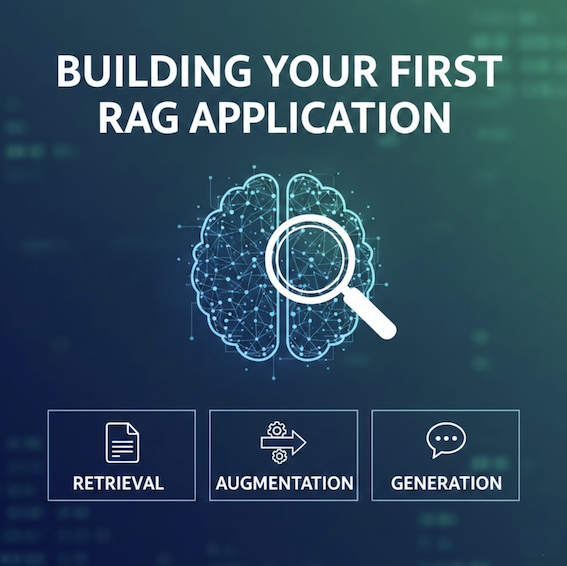
- Add RAG (Retrieval Augmented Generation): Let the LLM search your documents. See Building Your First RAG Application for a step-by-step guide.
- Build AI agents: Add tool calling for autonomous actions
- Add user authentication: Multi-user support with proper security
- Implement fine-tuning: Train custom models for your use case
- Add monitoring: Track usage, errors, and costs in production
For deeper dives, see:
- How LLMs Generate Text - Understand the internals
- Building AI Agents - Add autonomous capabilities
- Building a Code Review Assistant with LLMs - A practical LLM project with webhooks, structured prompts, and production deployment
- Running LLMs Locally - Privacy and cost savings
- Context Engineering - Optimize what you send to LLMs
- Prompt Injection Explained - The #1 security risk in LLM applications. Essential reading before you ship anything that processes user input.
Key Takeaways
-
Start simple: Build a basic chat application first. Add complexity only when needed.
-
Use provider-agnostic code: Abstract LLM calls so you can switch providers easily.
-
Handle errors: LLM APIs fail. Add retries, timeouts, and graceful error handling.
-
Track costs: Token usage adds up. Monitor costs from day one.
-
Test thoroughly: LLMs are non-deterministic. Test with real scenarios before shipping.
-
Plan for scale: Use databases for memory, add rate limiting, and monitor performance.
Building LLM applications is not magic. It is software engineering with a new type of API. Follow these patterns, and you will build applications that work in production.
Related Posts:
- How LLMs Generate Text - Understand what happens inside the model
- Building AI Agents - Add autonomous capabilities to your application
- Running LLMs Locally - Use local models for privacy and cost savings
- Context Engineering - Optimize prompts and context windows
- LLM Inference Speed Comparison - Benchmark different models
- Model Context Protocol (MCP) Explained - Standardize how your LLM application connects to tools and data sources
Have questions about building LLM applications? Share your experience in the comments below.