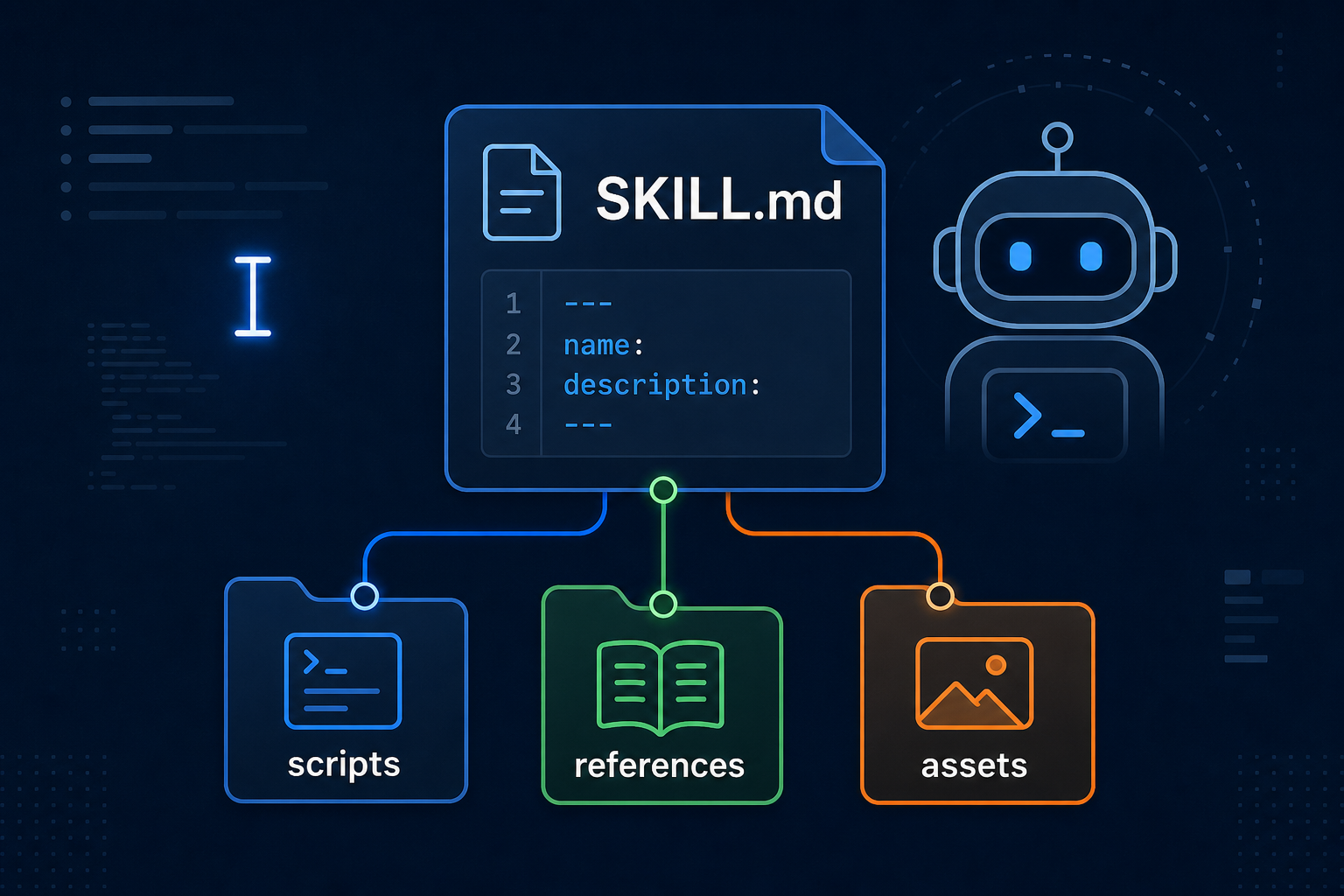
A Claude Code skill is a folder with a SKILL.md file that teaches Claude how to do one job, such as summarizing a diff, reviewing a PR, or deploying. Put project skills in .claude/skills/<name>/SKILL.md and personal skills in ~/.claude/skills/<name>/SKILL.md. The directory name becomes the slash command (/summarize-changes). Write a description that states what the skill does and when to use it, using the words you would type. Claude loads the skill automatically when the task matches, or you type /skill-name. Keep standing rules in CLAUDE.md. Keep procedures in skills so the body loads only when needed. For a live snapshot, add a bang-command git diff HEAD line so Claude Code runs the command before the model sees the prompt.
You told Claude Code how your team reviews a pull request. Next session it forgot. You pasted the same deploy checklist. Then you stuffed the checklist into CLAUDE.md, and now every tiny question pays for a runbook it does not need.
Claude Code skills fix that split. A skill is a folder with a SKILL.md file that teaches Claude one job. Claude keeps a short description in context and loads the full playbook only when the job matches, or when you type /skill-name. Standing rules stay in CLAUDE.md. Procedures live in skills.
This is a hands-on guide to Claude Code skills: where files go, how slash commands work, how skills differ from CLAUDE.md and plugins, how to inject a live git diff, and how to keep a skill from deploying production because a description happened to match. The SKILL.md format is the same Agent Skills standard used in Cursor. The rest of this post is what Claude Code does on top of that standard.
What Claude Code Skills Actually Are
A Claude Code skill is a portable, version-controlled package that teaches the agent a domain-specific task. Anthropic introduced the idea in its Agent Skills announcement and documented the Claude Code behavior in Extend Claude with skills.
Four properties matter in practice:
- On demand. Unlike
CLAUDE.md, the body is not in every turn. That is progressive disclosure: metadata for routing, full text only when chosen. - A command. The folder name is what you type after
/..claude/skills/summarize-changes/SKILL.mdbecomes/summarize-changes. - Actionable. A skill can run scripts, pull a live diff with a bang command, and pre-approve tools for that turn.
- Shareable. Commit
.claude/skills/and the next clone gets the same reviews and the same release steps.
Claude Code also ships bundled skills such as /code-review, /debug, /doctor, /run, and /verify. A project skill with the same name overrides the bundled one. The bundled alias may still point at Anthropic’s version, so /review might not run your /code-review replacement. Check /skills if the command you typed did not do what you expected.
Where Claude Code Skills Live
Where you put the folder decides who gets the skill.
| Location | Path | Who it applies to |
|---|---|---|
| Project | .claude/skills/<name>/SKILL.md |
This repo, shared through Git |
| Personal | ~/.claude/skills/<name>/SKILL.md |
Every project on your machine |
| Plugin | skills/<name>/SKILL.md inside the plugin |
Wherever the plugin is enabled |
| Enterprise | Managed settings .claude/skills/ |
Everyone the policy covers |
| Nested package | apps/web/.claude/skills/<name>/SKILL.md |
When Claude works in that tree |
If a skill encodes how this codebase ships, commit it under .claude/skills/. If it encodes how you like commit messages everywhere, use ~/.claude/skills/.
Name clashes are easy to get wrong. Across levels, enterprise overrides personal, and personal overrides project. A deploy skill in your home directory wins over the one in the repo. Plugin skills are namespaced as /plugin-name:skill-name, so they sit beside a project skill of the same short name. Skills in .claude/skills/ also beat a leftover file in .claude/commands/ when both share a name.
Monorepos can nest skills. After Claude reads a file under apps/web/, skills in apps/web/.claude/skills/ show up. A clash with the root skill gets a qualified name such as /apps/web:deploy. Typing /deploy still runs the root skill; Claude Code then tells the model about the nested variant so work inside that package can pick it up.
Cowork and cloud sessions skip ~/.claude/skills/ on your laptop. Enable the skill on claude.ai, or commit it to .claude/skills/, or ship it in a plugin listed in the repo’s .claude/settings.json. For how Cowork and Claude Code split knowledge work versus code, see the Claude Cowork guide.
Edits to SKILL.md under the personal or project folders usually apply in the current session. Create a brand new skills directory that did not exist at startup, and restart so Claude Code can watch it.
Your First Claude Code Skill
Create a personal skill that summarizes uncommitted work and flags risk. This is the smallest useful pattern, including the Claude Code trick of inlining the real diff.
1
mkdir -p ~/.claude/skills/summarize-changes
Write ~/.claude/skills/summarize-changes/SKILL.md:
1
2
3
4
5
6
7
8
9
10
11
---
description: Summarizes uncommitted changes and flags anything risky. Use when the user asks what changed, wants a commit message, or asks to review their diff.
---

## Current changes

!`git diff HEAD`

## Instructions

Summarize the changes above in two or three bullet points, then list any risks you notice such as missing error handling, hardcoded values, or tests that need updating. If the diff is empty, say there are no uncommitted changes.
The bang-command line is dynamic context injection. Claude Code runs git diff HEAD and replaces that line with stdout before the model sees the skill. Claude is not guessing from open buffers. It is reading the working tree.
Open a repo, dirty a file, run claude, then try either:
1
What did I change?
or:
1
/summarize-changes
You should get a short summary plus risks. Confirm discovery with /skills.
Custom commands merged into skills. A file at .claude/commands/deploy.md still creates /deploy. A skill at .claude/skills/deploy/SKILL.md creates the same command and can carry a scripts/ folder, invocation flags, and supporting docs. Prefer skills for anything new.
CLAUDE.md vs Skills vs Commands vs Plugins vs MCP
People dump everything into CLAUDE.md because it works. It also makes every session more expensive and more noisy, which shows up directly on the AI coding bill. Split by job.
flowchart LR
    M["fa:fa-sticky-note <b>CLAUDE.md</b><br/>always-on memory<br/>stack, conventions"]
    S["fa:fa-book <b>Skills</b><br/>on-demand playbooks<br/>review, commit, deploy"]
    C["fa:fa-terminal <b>Commands</b><br/>legacy slash files<br/>.claude/commands/"]
    P["fa:fa-cubes <b>Plugins</b><br/>install pack<br/>skills + hooks + MCP"]
    T["fa:fa-plug <b>MCP</b><br/>live tools and data<br/>APIs, trackers"]

    M --> A["fa:fa-robot <b>Claude Code</b>"]
    S --> A
    C --> A
    P --> A
    T --> A

    classDef mem fill:#e0f2fe,stroke:#0891b2,stroke-width:2px,color:#0f172a
    classDef skill fill:#c8e6c9,stroke:#388e3c,stroke-width:2px,color:#0f172a
    classDef cmd fill:#fff3e0,stroke:#f57c00,stroke-width:2px,color:#0f172a
    classDef plug fill:#dbeafe,stroke:#1d4ed8,stroke-width:2px,color:#0f172a
    classDef mcp fill:#fef9c3,stroke:#ca8a04,stroke-width:2px,color:#0f172a
    classDef agent fill:#f8fafc,stroke:#334155,stroke-width:2px,color:#0f172a

    class M mem
    class S skill
    class C cmd
    class P plug
    class T mcp
    class A agent
- CLAUDE.md is session memory. Load it for facts that should never be forgotten: language, test command, directories that are off limits. Official docs treat it as always-on context.
- Skills are procedures. PR review, changelog, staging deploy. They load when the description matches or when you slash them.
- Commands are the older slash-file layout. Same idea, fewer features. New work should be a skill.
- Plugins distribute a bundle.
/plugininstalls skills plus optional subagents, hooks, and MCP servers from a marketplace. - MCP is how Claude talks to live systems. A skill can tell Claude how to investigate an incident. MCP is what lets it query the tracker or the metrics API.
A useful pair: MCP gives access to GitHub, a skill says exactly how this team reviews a pull request with gh. The tool and the playbook are different layers, the same split as prompt engineering versus context engineering. One is how you ask. The other is what sits in the window.
If you already use Cursor, map CLAUDE.md to Rules and Claude Code skills to Cursor Skills. The Cursor skills guide walks the shared SKILL.md fields. This post stays on Claude Code behavior.
How a Claude Code Skill Gets Loaded
flowchart TD
    A["fa:fa-keyboard <b>You send a request</b>"] --> B{"fa:fa-bolt <b>Typed /skill-name?</b>"}
    B -->|Yes| F["fa:fa-file-code <b>Render SKILL.md</b><br/>run bang commands<br/>substitute arguments"]
    B -->|No| C["fa:fa-list <b>Match against</b><br/>description plus when_to_use"]
    C --> D{"fa:fa-search <b>Task matches</b><br/>and model invoke allowed?"}
    D -->|No| E["fa:fa-comment <b>Normal reply</b><br/>no skill body"]
    D -->|Yes| F
    F --> G["fa:fa-book <b>Follow instructions</b><br/>read references/<br/>run scripts/"]
    G --> H["fa:fa-check-circle <b>Consistent result</b>"]

    classDef step fill:#dbeafe,stroke:#1d4ed8,stroke-width:2px,color:#0f172a
    classDef decision fill:#fff3e0,stroke:#f57c00,stroke-width:2px,color:#0f172a
    classDef done fill:#c8e6c9,stroke:#388e3c,stroke-width:2px,color:#0f172a
    classDef skip fill:#f8fafc,stroke:#94a3b8,stroke-width:1px,color:#475569

    class A,C,F,G step
    class B,D decision
    class H done
    class E skip
Two-stage load is the whole point. Descriptions stay cheap. The body, plus any ! command output, enters the conversation as one message and stays there for later turns. Tool grants from allowed-tools do not stay: they last for the invoking turn, then your next message clears them. If a deploy skill should keep working across a few back-and-forths, say so in the instructions, or invoke it again.
After compaction, Claude Code tries to re-attach recent skills, truncated, so the playbook is not wiped. If behavior drifts after a long session, type /skill-name again.
Frontmatter That Matters in Claude Code
Claude Code reads YAML only when the file starts with --- on line one. description is the field that actually routes. name on a personal or project skill is a display label; the command still comes from the directory. On a plugin skill, name is the last segment of /plugin:name.
| Field | Typical use |
|---|---|
description |
What it does and when to fire. Put trigger phrases first. Listings truncate around 1,536 characters combined with when_to_use. |
when_to_use |
Extra trigger examples. Same cap as description. |
disable-model-invocation |
true means only you can slash it. Use for deploy, page, drop-table. |
user-invocable |
false hides it from / and lets Claude load background knowledge on its own. |
allowed-tools |
Pre-approve tools for the invoking turn, for example Bash(git status *). |
disallowed-tools |
Remove tools for that turn, such as hiding AskUserQuestion in a loop. |
paths |
Globs so auto-invoke happens only near matching files. |
context: fork |
Run in a subagent. Pair with agent and background. |
argument-hint |
Autocomplete hint such as [environment]. |
arguments |
Named $issue / $branch placeholders. |
model / effort |
Override model or effort for the invoking turn. |
hooks |
Register hooks when the skill runs, for the rest of the session. |
The open spec, and the Skills API / claude.ai upload path, only allow name, description, license, compatibility, metadata, and allowed-tools. Extra keys such as argument-hint fail packaging with an unexpected-key error. Keep Claude Code-only fields in repo skills. Keep uploaded skills on the six spec fields.
Write descriptions in the third person, with both what and when:
1
2
3
4
5
6
7
# Weak: never triggers
description: Helps with pull requests.

# Strong: what plus the words people type
description: Review a GitHub pull request against team standards.
  Use when the user asks to review a PR, examine a diff, or
  mentions code review.
disable-model-invocation: true is the safety valve. Claude cannot “notice the build looks ready” and ship production. If it tries, Claude Code blocks the shortcut and tells it not to recreate the steps some other way. You still type /deploy.
1
2
3
4
5
6
7
8
9
10
11
12
---
description: Deploy the current build to production. Manual only.
disable-model-invocation: true
allowed-tools: Bash(git status *) Bash(git diff *)
---

# Production deploy

1. Confirm branch is main and CI is green.
2. Run ${CLAUDE_PROJECT_DIR}/scripts/deploy.sh production.
3. Probe /health and expect HTTP 200.
4. On failure, run ${CLAUDE_PROJECT_DIR}/scripts/rollback.sh.
${CLAUDE_PROJECT_DIR} and ${CLAUDE_SKILL_DIR} expand in the body and in allowed-tools Bash rules, so a bundled script can run without a permission prompt when the allow rule matches the exact command. ${CLAUDE_PLUGIN_ROOT} exists only inside plugin skills.
For anything that can send a message, drop a database, or touch prod, combine disable-model-invocation with a human at the slash command. Skills are still instructions in the context window, so treat untrusted skills the way you treat untrusted prompt injection surfaces: read them before you run them.
Dynamic Context, Arguments, and Forked Skills
Bang commands are the feature you will miss if you only copy a Cursor SKILL.md. Claude Code runs them locally for project and personal skills. Synced claude.ai skills and some Cowork paths will not execute them the same way.
1
2
3
4
5
6
7
8
9
10
11
12
13
14
15
16
17
18
---
description: Summarize the current GitHub pull request. Use when the
  user asks to review this PR, summarize PR comments, or mentions gh pr.
disable-model-invocation: true
argument-hint: "[pr-number]"
allowed-tools: Bash(gh *)
---

## Pull request context

- PR diff: !`gh pr diff`
- Comments: !`gh pr view --comments`
- Files: !`gh pr diff --name-only`

## Task

Review the diff above. Group findings as critical, suggestion, or nice to have.
If $ARGUMENTS is set, focus on that pull request number.
$ARGUMENTS, $0, and named arguments: entries substitute when you invoke /pr-review 142. Indexed placeholders that have no value stay as literal text. Named placeholders with no value become empty strings.
context: fork runs the skill in a subagent so a heavy review does not bloat the parent chat. Bundled /code-review uses this pattern on recent Claude Code versions. Set background: false if you want the parent turn to wait for the result.
Keep SKILL.md under about 500 lines. Point at references/ for checklists and scripts/ for anything fragile. The agent should run scripts/validate.py, not regenerate it from prose each time. That is the same token discipline as progressive disclosure: load the minimum, fetch the rest on demand.
Plugins and Sharing Skills
Three ways to share, in the order most teams actually need:
- Git. Commit
.claude/skills/. Lowest ceremony. Best default. - Plugin. Add
skills/<name>/SKILL.mdnext to.claude-plugin/plugin.json, optionalhooks/,.mcp.json, andagents/. Install with/pluginfrom the official marketplace or/plugin marketplace add owner/repo. - Managed settings. Company-wide skills that override personal copies.
You can turn a skill folder into a tiny plugin by adding .claude-plugin/plugin.json so it can also ship hooks and MCP. In a project .claude/skills/ that requires accepting workspace trust first.
Turn bundled skills off with disableBundledSkills if they fight your own /code-review. /doctor can stay available depending on version and overrides.
Trust the source. A skill with a wide allowed-tools: Bash(*) grant is executable policy, not documentation. Review repo skills the way you review a new CI script.
A Project Skill Worth Committing
Here is a repo skill that matches how many teams actually use Claude Code: review the current branch against a checklist file.
1
2
3
4
.claude/skills/code-review/
├── SKILL.md
└── references/
    └── checklist.md
1
2
3
4
5
6
7
8
9
10
11
12
13
14
15
16
17
18
19
20
21
22
---
description: Review code for quality, security, and maintainability against
  team standards. Use when reviewing a pull request, examining a diff, or when
  the user asks for a code review.
---

# Code review

## Context

- Diff vs main: !`git diff origin/main...HEAD`

## Steps

1. Read the diff above and state the intent in one sentence.
2. Walk [references/checklist.md](references/checklist.md).
3. Group feedback as Critical, Suggestion, or Nice to have. Explain why.

## Output

Do not nitpick formatting the linter already covers. Prefer findings that would
block merge or create an incident.
Commit that folder. Every teammate who runs Claude Code in the repo now has /code-review with the same bar. Override Anthropic’s bundled skill on purpose, and remember /review may still be the bundled alias.
Wrapping Up
Claude Code skills turn the checklist you keep pasting into a file the agent can find. Put project playbooks in .claude/skills/, keep CLAUDE.md for facts, write a description that sounds like your teammates, slash the dangerous ones yourself, and use bang commands when the model needs the real diff rather than a guess.
Start with one workflow you explained twice this week. Make the folder, write twenty lines of SKILL.md, type /your-skill. Add the next skill when the friction shows up again. Because the format is just files, the same playbook can travel to Cursor and to anything else that speaks Agent Skills, while the Claude Code-only knobs stay in the repo that actually runs them.
Related posts:
- Cursor Skills: How to Create and Use Agent Skills - Same SKILL.md standard, Cursor directories and Rules instead of CLAUDE.md
- How to Use Cursor - Skills as one piece of an AI editor workflow
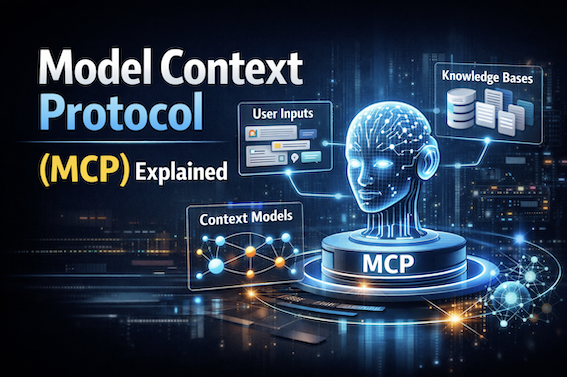
- Model Context Protocol (MCP) Explained - Live tools that skills can orchestrate
- Claude Cowork Guide - Where Cowork loads skills versus local Claude Code
- Context Engineering - Why on-demand playbooks beat stuffing CLAUDE.md
- Prompt Injection Explained - Why you review skills before they get allowed-tools
- Building AI Agents - The loop the skills sit inside
Further reading: Anthropic’s Claude Code skills docs, CLAUDE.md memory, the Agent Skills standard, and the Agent Skills announcement.