The High Watermark (also called commit index) is an index in the write-ahead log that marks the last entry safely replicated to a majority of nodes. Only entries at or below the high watermark are considered committed and visible to clients. The leader calculates it based on replication acknowledgments and communicates it to followers. Used by Kafka, Raft (etcd, CockroachDB), and ZooKeeper to prevent clients from reading uncommitted data that could be lost during leader failover.
You have a three-node Kafka cluster. A producer writes a message to partition 0. The leader appends it to its log. One follower grabs it. The other follower is still catching up.
Now a consumer sends a fetch request. Should it see that message?
If you say yes, you have a problem. That message only exists on two out of three nodes. If the leader crashes right now, the new leader might be the follower that doesn’t have it. The message is gone. But the consumer already read it. They processed it, maybe triggered a payment, sent an email, updated a dashboard. Now the data they acted on doesn’t exist anymore.
This is the exact problem the High Watermark pattern solves. It draws a line in the log and says: everything below this line is safe. Everything above it? Not yet.
The Problem: When Replication Lags Behind Visibility
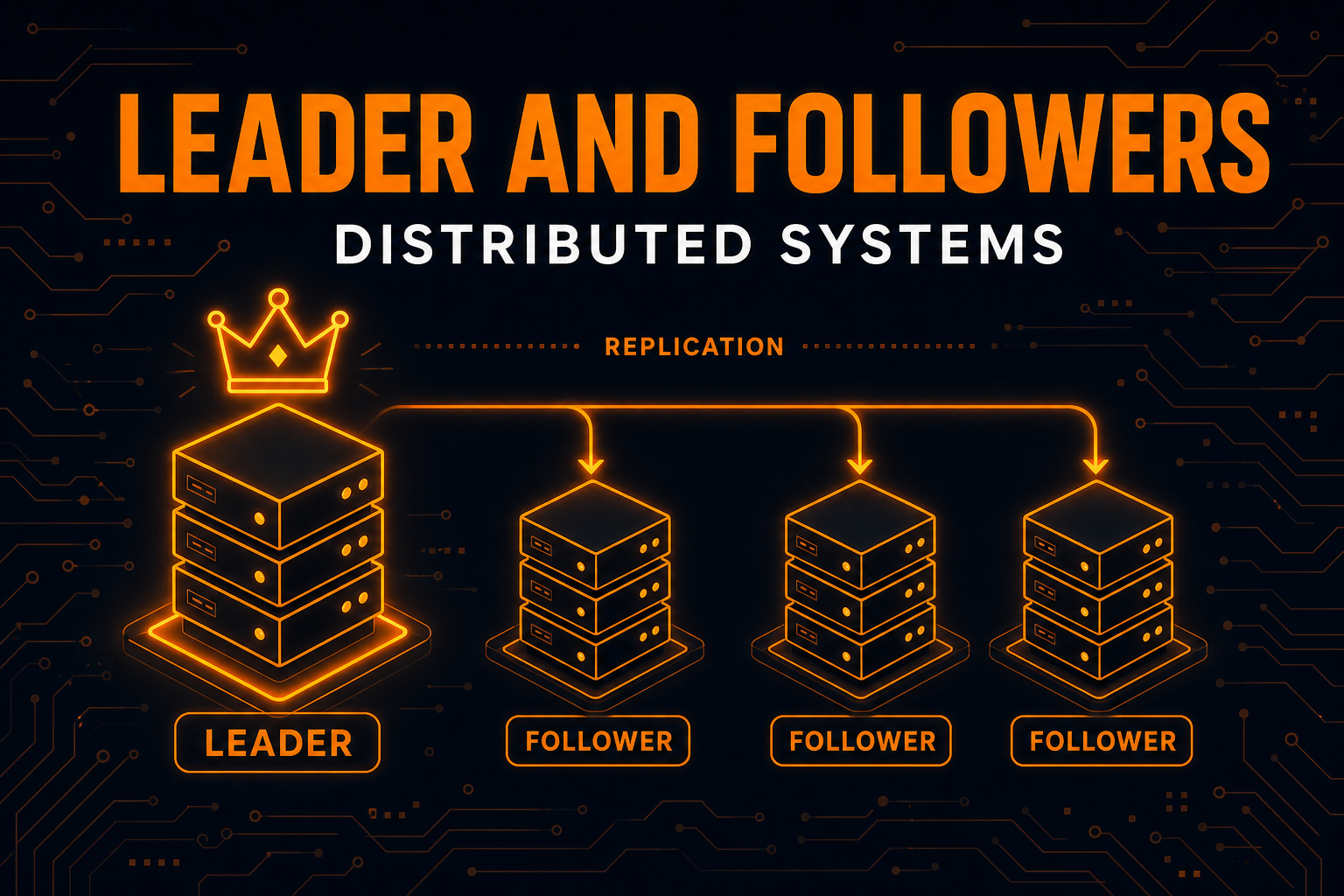
In any distributed system that uses leader-follower replication, the leader is always ahead of the followers. That’s by design. The leader accepts writes first, then replicates them.
But this creates a gap. Between the moment the leader appends an entry and the moment enough followers confirm it, that entry is in a dangerous state. It exists, but it’s not safe.
A Banking Example
Imagine a distributed banking system with three nodes. A customer transfers $10,000.
sequenceDiagram
    participant C as Client
    participant L as Leader
    participant F1 as Follower 1
    participant F2 as Follower 2

    C->>L: Transfer $10,000
    L->>L: Append to log (index 7)
    L->>F1: Replicate entry 7
    L->>F2: Replicate entry 7
    F1->>L: Got it
    Note over F2: Still processing...
    Note over L: Entry 7 on Leader + F1 (2/3 = majority)
Entry 7 is now on the leader and Follower 1. That’s a majority in a 3-node cluster. It’s safe. Even if one node dies, the entry survives on at least one other.
But what if the client reads from Follower 2 before it receives entry 7? The client would see an old balance. Or worse, what if the leader had appended entry 8 that only exists on the leader itself? If a client reads entry 8 and then the leader crashes, that entry is gone forever.
The question is: how does each node know which entries are safe to serve?
That’s what the high watermark answers.
What Is the High Watermark?
The high watermark is an index in the write-ahead log that marks the last entry known to be replicated to a majority of nodes. Every entry at or below this index is committed. Every entry above it is uncommitted.
The rules are simple:
- Only committed entries are visible to clients
- The leader calculates the high watermark based on follower acknowledgments
- The leader communicates the high watermark to followers during replication
- Each follower updates its own high watermark and only serves data up to that point
In Raft, this is called the commit index. In Kafka, it’s called the High Watermark (HW). Different names, same idea.
graph LR
    subgraph "Leader Log"
        E1["Entry 1"] --- E2["Entry 2"] --- E3["Entry 3"] --- E4["Entry 4"] --- E5["Entry 5"] --- E6["Entry 6"] --- E7["Entry 7"]
    end

    HW["<b>High Watermark</b><br/>Index 5"] -.-> E5

    style E1 fill:#c8e6c9,stroke:#388e3c
    style E2 fill:#c8e6c9,stroke:#388e3c
    style E3 fill:#c8e6c9,stroke:#388e3c
    style E4 fill:#c8e6c9,stroke:#388e3c
    style E5 fill:#c8e6c9,stroke:#388e3c
    style E6 fill:#fff3e0,stroke:#f57c00
    style E7 fill:#fff3e0,stroke:#f57c00
    style HW fill:#e3f2fd,stroke:#1565c0,stroke-width:2px
Entries 1 through 5 are committed (green). The leader knows they’re on a majority of nodes. Entries 6 and 7 exist on the leader’s log but haven’t been confirmed by enough followers yet. They’re uncommitted (orange). No client will ever see entries 6 or 7 until they cross the high watermark.
How the High Watermark Works Step by Step
Let’s walk through a 5-node cluster where the leader receives a write and the high watermark advances.
Step 1: Leader Appends the Entry
A client sends a write request. The leader appends it to its own log. At this point, the entry exists on exactly one node. The high watermark doesn’t move.
Step 2: Leader Sends Entry to Followers
The leader sends the new entry to all four followers. Each follower will receive it at different times depending on network latency and load.
Step 3: Followers Acknowledge
As followers receive and store the entry, they send acknowledgments back to the leader. The leader tracks which followers have which entries.
Step 4: Leader Advances the High Watermark
Once the leader knows that a majority of nodes (3 out of 5, including itself) have the entry, it advances the high watermark. The entry is now committed.
Step 5: Leader Communicates New High Watermark
The leader includes the updated high watermark in its next round of replication messages (or heartbeats). Followers update their own high watermark accordingly and can now serve the committed entry to clients.
sequenceDiagram
    participant C as Client
    participant L as Leader
    participant F1 as Follower 1
    participant F2 as Follower 2
    participant F3 as Follower 3
    participant F4 as Follower 4

    C->>L: Write X=42
    L->>L: Append entry (index 10)
    Note over L: HW still at 9

    par Replicate
        L->>F1: AppendEntries(index 10)
        L->>F2: AppendEntries(index 10)
        L->>F3: AppendEntries(index 10)
        L->>F4: AppendEntries(index 10)
    end

    F1->>L: ACK index 10
    F2->>L: ACK index 10
    Note over L: Leader + F1 + F2 = 3/5 = majority
    Note over L: Advance HW to 10

    L->>C: Write confirmed

    par Update HW on followers
        L->>F1: HW = 10
        L->>F2: HW = 10
        L->>F3: HW = 10
        L->>F4: HW = 10
    end

    F3->>L: ACK index 10 (late)
    F4->>L: ACK index 10 (late)
Notice that the leader didn’t wait for all four followers. It only needed two (plus itself) to reach the majority of 3 out of 5. Followers 3 and 4 will catch up eventually, but the entry is already committed.
How the Leader Calculates the High Watermark
The leader maintains a record of each follower’s log end offset (LEO), which is the index of the last entry in that follower’s log.
To calculate the high watermark, the leader:
- Collects the LEO from each follower (updated through acknowledgments)
- Sorts all LEOs (including its own)
- Picks the value at position
(N/2)(for a cluster of N nodes)
This gives the highest index that exists on a majority of nodes.
Here’s a concrete example with 5 nodes:
| Node | Log End Offset (LEO) |
|---|---|
| Leader | 10 |
| Follower 1 | 10 |
| Follower 2 | 9 |
| Follower 3 | 10 |
| Follower 4 | 8 |
Sorted LEOs: [8, 9, 10, 10, 10]
For 5 nodes, majority is 3. The value at position 3 (from the end) is 9. So the high watermark is 9. Entries up to index 9 are on at least 3 nodes.
Wait, entry 10 is on 3 nodes too (Leader, Follower 1, Follower 3). Shouldn’t the high watermark be 10?
Yes, it should. The exact calculation picks the median of the sorted LEOs: position floor(N/2) from the sorted array, which is index 2 (0-based) in [8, 9, 10, 10, 10] = 10. The leader sees that 3 out of 5 nodes have entry 10, so the high watermark advances to 10.
The key insight: the high watermark is the highest offset that exists on at least a majority of nodes.
What Happens During a Leader Failover
This is where the high watermark really earns its keep. Let’s see what happens when a leader crashes.
Scenario: Leader Crashes With Uncommitted Entries
graph TD
    subgraph "Before Crash"
        L["Leader<br/>Log: 1,2,3,4,5,6,7<br/>HW: 5"]
        F1["Follower 1<br/>Log: 1,2,3,4,5,6<br/>HW: 5"]
        F2["Follower 2<br/>Log: 1,2,3,4,5<br/>HW: 5"]
    end

    subgraph "After Leader Crashes"
        X["Old Leader<br/><i class='fas fa-times-circle text-danger'></i> Dead"]
        NL["Follower 1 elected as New Leader<br/>Log: 1,2,3,4,5,6<br/>HW: 5"]
        NF["Follower 2<br/>Log: 1,2,3,4,5<br/>HW: 5"]
    end

    L -.->|Crashes| X
    F1 -.->|Elected| NL
    F2 -.->|Follows new leader| NF

    style X fill:#ffcdd2,stroke:#d32f2f
    style NL fill:#dbeafe,stroke:#3b82f6,stroke-width:2px
    style L fill:#e0e0e0,stroke:#9e9e9e
Entry 7 was only on the old leader. It was never replicated to any follower, so it was never committed. It’s lost. But no client ever saw it because it was above the high watermark.
Entry 6 is on the old leader and Follower 1. In a 3-node cluster, 2 out of 3 is a majority. But the leader crashed before advancing the high watermark to 6, so it was still uncommitted. The new leader (Follower 1) has entry 6 in its log. Depending on the protocol, the new leader might commit it or truncate it.
Entries 1 through 5 are safe. They exist on all three nodes and were committed (HW = 5). Every client read was based on these entries. Nothing that any client saw will disappear.
This is the guarantee: the high watermark ensures clients never see data that could be lost.
Why Uncommitted Entries Can Be Lost
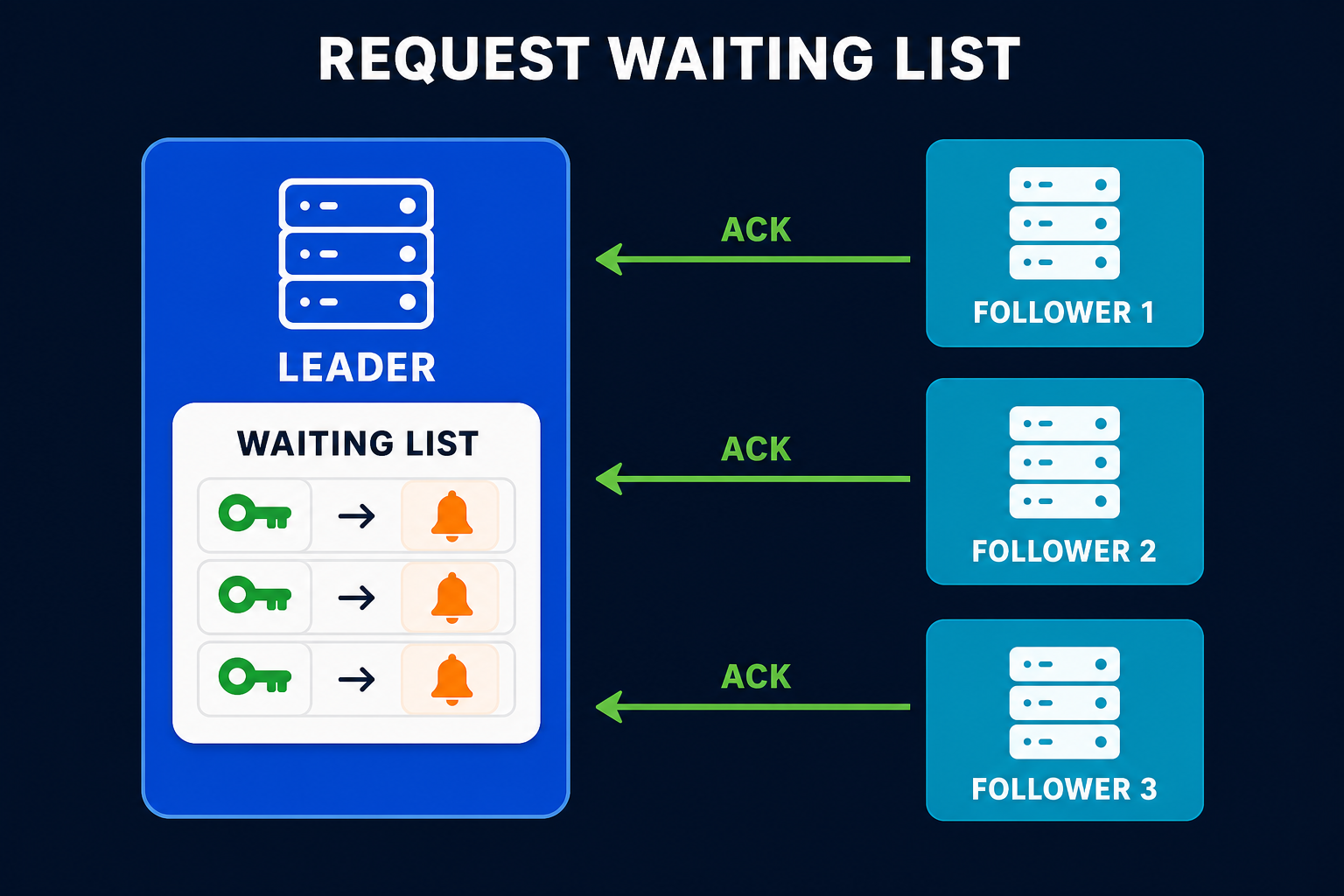
When the old leader had entries 6 and 7, it hadn’t received enough acknowledgments. The client that sent those writes didn’t get a confirmation response either: those requests sat in the leader’s request waiting list and timed out instead of completing. From the client’s perspective, those writes might not have happened. The client knows to retry.
If the system had served those entries to other clients before they were committed, those clients would have acted on data that later vanished. Orders would disappear, balances would jump, audit trails would have gaps. The high watermark prevents all of this.
High Watermark in Apache Kafka
Kafka uses the high watermark extensively. Every partition has a leader and a set of followers called In-Sync Replicas (ISR). The high watermark determines what consumers can read.
Kafka’s Terminology
| Term | Meaning |
|---|---|
| LEO (Log End Offset) | The offset of the next message to be written to a replica’s log |
| HW (High Watermark) | The minimum LEO across all ISR members |
| ISR (In-Sync Replicas) | The set of replicas that are fully caught up with the leader |
| Consumer Offset | The position a consumer has read up to |
How Kafka Calculates the High Watermark
In Kafka, the leader calculates the high watermark as the minimum LEO across all ISR members. This is slightly different from Raft’s majority-based calculation. Since ISR membership already guarantees that all members are caught up, taking the minimum gives the highest offset that all ISR members have.
graph TD
    subgraph "Partition 0"
        Leader["Leader Broker<br/>LEO: 15"]
        R1["ISR Replica 1<br/>LEO: 14"]
        R2["ISR Replica 2<br/>LEO: 13"]
    end

    HW["High Watermark = min(15, 14, 13) = 13"]

    Leader --> HW
    R1 --> HW
    R2 --> HW

    subgraph "Consumer Visibility"
        Visible["Offsets 0-12<br/><i class='fas fa-check-circle text-success'></i> Visible"]
        Invisible["Offsets 13-14<br/><i class='fas fa-lock'></i> Not yet visible"]
    end

    HW --> Visible
    HW --> Invisible

    style HW fill:#e3f2fd,stroke:#1565c0,stroke-width:2px
    style Visible fill:#c8e6c9,stroke:#388e3c
    style Invisible fill:#fff3e0,stroke:#f57c00
When Replica 2 catches up and its LEO reaches 14, Kafka recalculates: min(15, 14, 14) = 14. The high watermark advances, and offset 13 becomes visible to consumers.
The Fetch Cycle
Here’s how the high watermark flows through Kafka’s replication:
- Producer sends a message to the partition leader
- Leader appends the message and its LEO advances
- Followers send fetch requests to the leader
- Leader responds with new messages and the current high watermark
- Followers append messages and update their own LEO and high watermark
- Leader sees updated follower LEOs and recalculates the high watermark
- Consumers can read up to the high watermark
This cycle runs continuously. As followers catch up, the high watermark advances, and more data becomes visible to consumers.
Consumer Lag and the High Watermark
If you’ve ever monitored a Kafka consumer group, you’ve seen consumer lag. That’s the difference between the high watermark and the consumer’s current offset. It tells you how far behind the consumer is from the latest committed data.
1
Consumer Lag = High Watermark - Consumer Offset
This is one of the most important metrics for any Kafka-based system. High lag means the consumer is falling behind. It could lead to data processing delays, stale dashboards, or missed alerts.
High Watermark in Raft (etcd, CockroachDB)
In Raft consensus, the same concept is called the commit index. The mechanics are similar but the terminology and some details differ.
Raft’s Approach
The Raft leader maintains a commitIndex that tracks the highest log entry replicated to a majority of nodes. Here’s how it works:
- The leader appends an entry to its log at index N
- It sends
AppendEntriesRPCs to all followers - Each follower that successfully stores the entry responds with success
- When the leader sees that a majority has entry N, it sets
commitIndex = N - The leader includes
commitIndexin subsequentAppendEntriesmessages - Followers update their own
commitIndexand apply entries up to that point
graph LR
    subgraph "Raft Cluster (5 nodes)"
        L["Leader<br/>commitIndex: 8<br/>log: [..., 8, 9, 10]"]
        F1["Follower 1<br/>commitIndex: 8<br/>log: [..., 8, 9]"]
        F2["Follower 2<br/>commitIndex: 8<br/>log: [..., 8, 9]"]
        F3["Follower 3<br/>commitIndex: 7<br/>log: [..., 8]"]
        F4["Follower 4<br/>commitIndex: 7<br/>log: [..., 8]"]
    end

    Note["Entry 8: on 5/5 nodes = committed<br/>Entry 9: on 3/5 nodes = committed<br/>Entry 10: on 1/5 nodes = uncommitted"]

    style L fill:#dbeafe,stroke:#3b82f6,stroke-width:2px
    style Note fill:#f5f5f5,stroke:#bdbdbd
In this example, the leader will advance commitIndex to 9 because entry 9 exists on 3 out of 5 nodes (Leader, F1, F2), which is a majority. Entry 10 only exists on the leader, so it stays uncommitted.
commitIndex vs lastApplied
Raft actually tracks two indices:
- commitIndex: The highest entry known to be committed (replicated to a majority). This is the high watermark.
- lastApplied: The highest entry actually applied to the state machine.
The rule is: lastApplied can never exceed commitIndex. The node applies entries one by one, advancing lastApplied toward commitIndex. This separation exists because applying entries to the state machine takes time, and the node might have committed entries it hasn’t processed yet.
The Low Watermark: The Other End
If the high watermark tells you “how far forward is safe to read,” the low watermark tells you “how far back can we safely forget.”
Write-ahead logs grow forever if left unchecked. Old entries that every node has already applied don’t need to stick around. The low watermark marks the point below which log entries can be safely deleted or compacted.
graph LR
    LW["Low Watermark<br/>(safe to delete below)"] -.-> E3
    HWM["High Watermark<br/>(safe to read up to)"] -.-> E7

    E1["Entry 1<br/><i class='fas fa-trash text-secondary'></i>"] --- E2["Entry 2<br/><i class='fas fa-trash text-secondary'></i>"] --- E3["Entry 3"] --- E4["Entry 4"] --- E5["Entry 5"] --- E6["Entry 6"] --- E7["Entry 7"] --- E8["Entry 8"] --- E9["Entry 9"]

    style E1 fill:#e0e0e0,stroke:#9e9e9e
    style E2 fill:#e0e0e0,stroke:#9e9e9e
    style E3 fill:#c8e6c9,stroke:#388e3c
    style E4 fill:#c8e6c9,stroke:#388e3c
    style E5 fill:#c8e6c9,stroke:#388e3c
    style E6 fill:#c8e6c9,stroke:#388e3c
    style E7 fill:#c8e6c9,stroke:#388e3c
    style E8 fill:#fff3e0,stroke:#f57c00
    style E9 fill:#fff3e0,stroke:#f57c00
    style LW fill:#e0e0e0,stroke:#757575,stroke-width:2px
    style HWM fill:#e3f2fd,stroke:#1565c0,stroke-width:2px
The low watermark is calculated as the minimum lastApplied across all nodes. If every node has applied entry 2 to its state machine, no one needs entries 1 and 2 in the log anymore. They can be replaced with a snapshot.
Together, the two watermarks define the “active window” of the log:
| Watermark | What it controls | How it moves |
|---|---|---|
| High Watermark | Visibility to clients | Advances when followers confirm replication |
| Low Watermark | Log cleanup and truncation | Advances when all nodes apply entries to state machine |
Kafka handles this through log retention policies and log compaction. Raft-based systems use snapshotting to discard old entries. For a deep dive into how the Low Watermark works, including real-world examples from Kafka, etcd, and PostgreSQL, see Low Watermark: How Distributed Systems Clean Up Old Data Without Breaking Things.
Real-World Systems Using the High Watermark
Apache Kafka
Kafka’s entire consumer visibility model is built on the high watermark. Every partition has a high watermark that advances as ISR replicas catch up. The kafka-consumer-groups CLI tool shows consumer lag based on the high watermark. When you set acks=all in your producer config, you’re saying “don’t confirm until the message crosses the high watermark.”
etcd (Kubernetes)
etcd uses Raft consensus, and the commit index is central to its operation. When Kubernetes stores a pod spec in etcd, that write is committed only after a majority of etcd nodes confirm. The Kubernetes API server reads from etcd based on the commit index, ensuring it never sees a pod definition that might disappear.
CockroachDB
CockroachDB runs a Raft group for each data range. Each range has its own commit index (high watermark). SQL queries are served based on committed data only. This is how CockroachDB provides serializable isolation across a distributed cluster.
Apache BookKeeper (Pulsar)
Apache BookKeeper, which powers Apache Pulsar’s storage layer, uses the concept of a Last Add Confirmed (LAC) entry. This is functionally identical to the high watermark. Entries beyond the LAC are not visible to readers. BookKeeper’s approach is different from Kafka’s because it uses a quorum-based write protocol rather than ISR-based replication.
ZooKeeper (ZAB Protocol)
ZooKeeper uses ZAB (ZooKeeper Atomic Broadcast), where the leader proposes changes and waits for a majority quorum to acknowledge before committing. The commit point serves the same role as the high watermark. Clients reading from ZooKeeper followers only see committed state.
Common Pitfalls and Tradeoffs
The Visibility Delay
There’s always a gap between when a message is produced and when it becomes visible to consumers. This is the time it takes for followers to replicate the message and for the high watermark to advance.
In Kafka, this delay is typically a few milliseconds for a healthy cluster. But if a follower falls out of ISR or network latency spikes, the delay can grow. This is why monitoring ISR shrinkage is important. A shrinking ISR can stall the high watermark.
The Tradeoff Between Safety and Latency
A strict high watermark gives you safety but adds latency. Every write must wait for replication before it’s visible. You can tune this:
- Kafka
acks=all: Producer waits for all ISR replicas. Safest, but slowest. - Kafka
acks=1: Producer waits for leader only. The message might be lost if the leader crashes before replication. Faster, but riskier. - Kafka
acks=0: Producer doesn’t wait at all. Fire and forget. Fastest, but no durability guarantee.
Even with acks=1, the high watermark still controls consumer visibility. The producer might get a faster response, but consumers still wait for the high watermark to advance.
Follower Lag and ISR Dynamics
If a follower falls behind (maybe it’s on a slow disk or across a network partition), Kafka removes it from the ISR. This actually helps the high watermark advance faster because the minimum LEO is now calculated across fewer (faster) replicas.
But it also reduces fault tolerance. With fewer ISR members, you can tolerate fewer failures. If min.insync.replicas=2 and only one replica remains in ISR, the partition stops accepting writes entirely.
This is the classic distributed systems tradeoff between availability and consistency.
Implementation Sketch
Here’s a simplified version of how the high watermark works in a leader node. This isn’t production code, but it shows the core logic.
1
2
3
4
5
6
7
8
9
10
11
12
13
14
15
16
17
18
19
20
21
22
23
24
25
26
27
28
29
30
31
class Leader:
    def __init__(self, cluster_size):
        self.log = []
        self.high_watermark = -1
        self.follower_leos = {}
        self.cluster_size = cluster_size
        self.majority = cluster_size // 2 + 1

    def append(self, entry):
        self.log.append(entry)
        return len(self.log) - 1  # return the index

    def on_follower_ack(self, follower_id, follower_leo):
        self.follower_leos[follower_id] = follower_leo
        self._try_advance_high_watermark()

    def _try_advance_high_watermark(self):
        all_leos = [len(self.log)]  # leader's own LEO
        all_leos.extend(self.follower_leos.values())
        all_leos.sort(reverse=True)

        if len(all_leos) >= self.majority:
            new_hw = all_leos[self.majority - 1]
            if new_hw > self.high_watermark:
                self.high_watermark = new_hw

    def is_committed(self, index):
        return index <= self.high_watermark

    def get_visible_entries(self):
        return self.log[:self.high_watermark + 1]
The _try_advance_high_watermark method sorts all known LEOs in descending order and picks the value at position majority - 1. That’s the highest index guaranteed to be on at least majority nodes.
How It Connects to Other Patterns
The high watermark doesn’t work in isolation. It’s part of a family of distributed systems patterns that work together:
graph TD
    WAL["Write-Ahead Log<br/>Durability on single node"] --> RL["Replicated Log<br/>Durability across cluster"]
    RL --> HW["High Watermark<br/>Visibility control"]
    MQ["Majority Quorum<br/>How many nodes = committed"] --> HW
    HB["Heartbeat<br/>Failure detection"] --> LE["Leader Election<br/>Choosing a new leader"]
    LE --> HW

    HW --> LW["Low Watermark<br/>Log cleanup"]

    click WAL "/distributed-systems/write-ahead-log/"
    click RL "/distributed-systems/replicated-log/"
    click MQ "/distributed-systems/majority-quorum/"
    click HB "/distributed-systems/heartbeat/"

    style HW fill:#dbeafe,stroke:#3b82f6,stroke-width:2px
    style WAL fill:#f5f5f5,stroke:#bdbdbd
    style RL fill:#f5f5f5,stroke:#bdbdbd
    style MQ fill:#f5f5f5,stroke:#bdbdbd
    style HB fill:#f5f5f5,stroke:#bdbdbd
    style LE fill:#f5f5f5,stroke:#bdbdbd
    style LW fill:#f5f5f5,stroke:#bdbdbd
- The Write-Ahead Log gives durability on a single node
- The Replicated Log extends that durability across a cluster
- The Majority Quorum decides how many nodes must confirm before an entry is committed
- The Heartbeat detects failures and triggers leader election
- The High Watermark ties it all together by defining what’s safe to show clients
- The Low Watermark determines when old log entries can be cleaned up
- The Hybrid Logical Clock provides the monotonic, time-aware version stamps that the high watermark indexes into
Key Takeaways for Developers
-
The high watermark is about visibility, not storage. Entries above it still exist in the log. They’re just not visible to clients until they’re committed.
-
Different systems, same pattern. Kafka calls it High Watermark. Raft calls it commit index. BookKeeper calls it Last Add Confirmed. The names change, but the concept doesn’t.
-
Consumer lag is measured against the high watermark. If your consumers are falling behind, the high watermark tells you how far behind they are from the latest committed data.
-
ISR shrinkage stalls the high watermark. In Kafka, watch for replicas falling out of ISR. When the ISR shrinks, the high watermark can advance faster, but your fault tolerance drops. It’s a signal that something is wrong.
-
The high watermark is what makes leader failover safe. Without it, clients could read data that disappears when a new leader is elected. The high watermark guarantees that any data a client has seen will survive failover.
-
You probably don’t need to implement this yourself. If you’re using Kafka, etcd, or CockroachDB, the high watermark is built in. Understand it so you can debug issues and tune configurations, but don’t try to build your own replication protocol unless you really know what you’re doing.
Wrapping Up
The high watermark is one of those patterns that seems simple on the surface but has deep implications. It’s just an index, a number that moves forward as replication progresses. But that single number is what keeps distributed systems honest. It’s the boundary between “definitely safe” and “maybe safe.” And in distributed systems, “maybe safe” is just another way of saying “not safe at all.”
Every time you set acks=all in Kafka, every time you read a consistent value from etcd, every time CockroachDB gives you a serializable transaction, the high watermark is doing its job. Quietly, reliably, drawing that line between committed and uncommitted data.
For more distributed systems patterns, check out Low Watermark, Hybrid Logical Clock, Write-Ahead Log, Replicated Log, Majority Quorum, Heartbeat, Gossip Dissemination, Paxos, Two-Phase Commit, and How Kafka Works.
Further reading: Unmesh Joshi’s Patterns of Distributed Systems on Martin Fowler’s site covers the high watermark and related patterns in depth.